Payment calendar
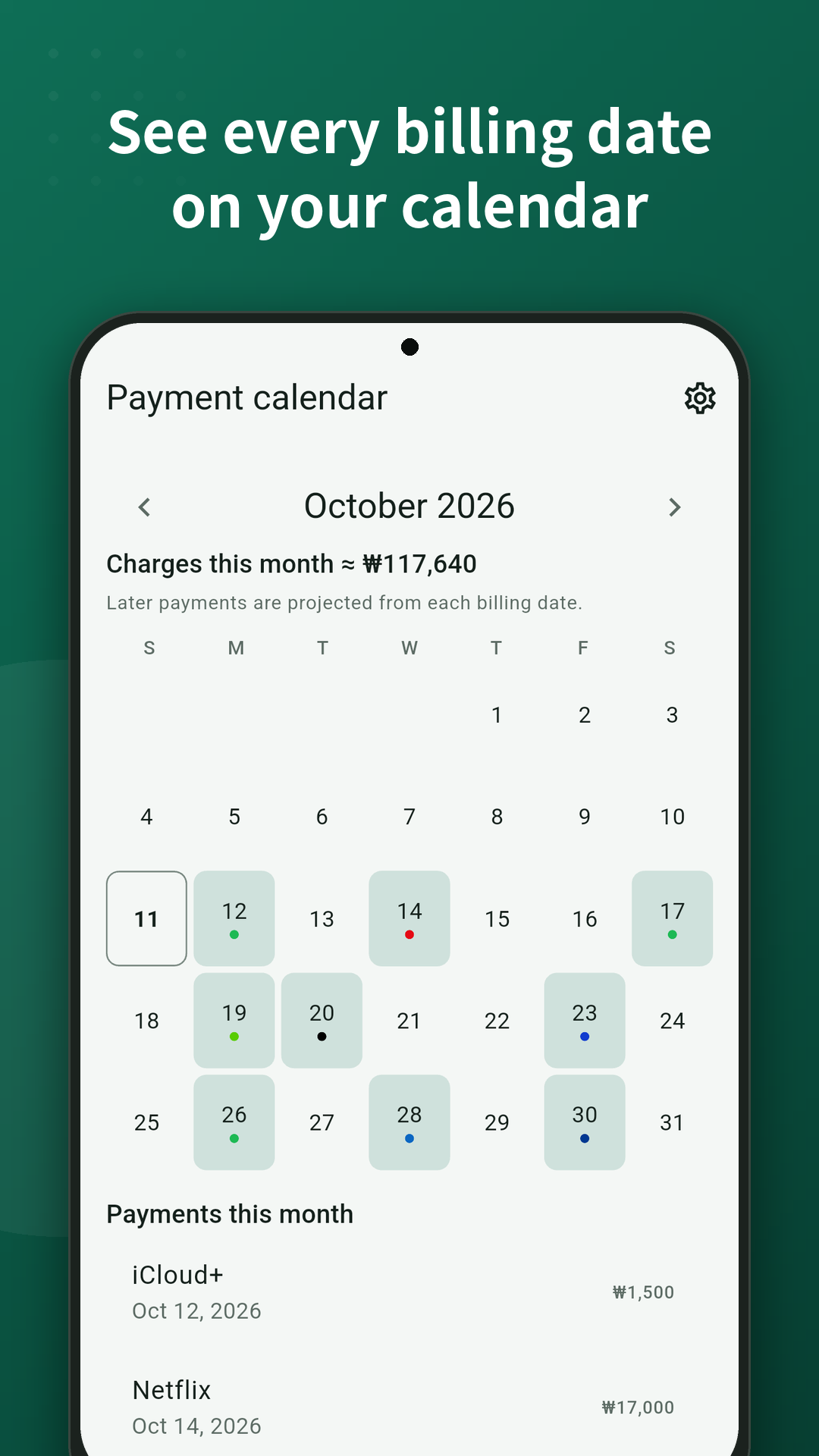
See this week and this month on a calendar
Each subscription’s billing cycle lands on the calendar. Overlapping charges are visible before they hit.
Android · No sign-up · On-device storage
See monthly totals and payment dates on one screen. Unused plans get a cancel-path guide for about 130 services. No bank link. Data stays on your phone.
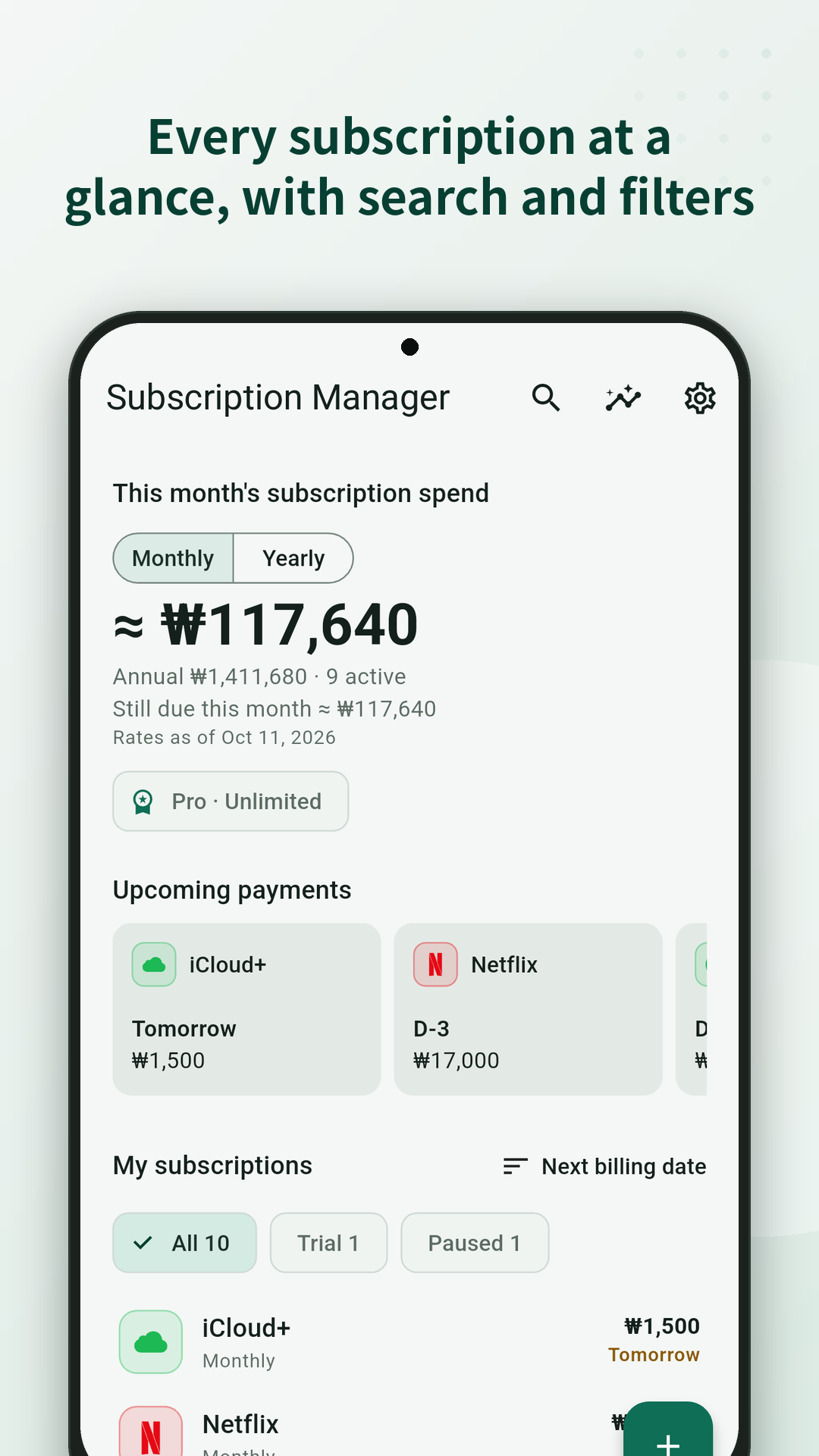
OTT, cloud, and AI stack up until the monthly total is hard to see. Cancel sits in nested settings. Reminder emails land in spam.
The forgotten subscriber
A free trial turned paid and the renewal date was easy to miss.
The tidy-up person
You want one place for what you pay and where to cancel.
No extra account
You would rather keep the list on your phone, without linking a bank.
Try it on this page
Select what you pay for and mark what you barely use. Monthly and yearly totals update instantly. Figures are estimates and may differ from your real prices.
Services you use
Estimated this month
$0
Reminders are on-device Android notifications, not a chat app. After you add subscriptions, you get a heads-up before renewal.
No overstated automation. You enter the plan. You cancel it. The app shortens both steps.
Payment calendar
Each subscription’s billing cycle lands on the calendar. Overlapping charges are visible before they hit.
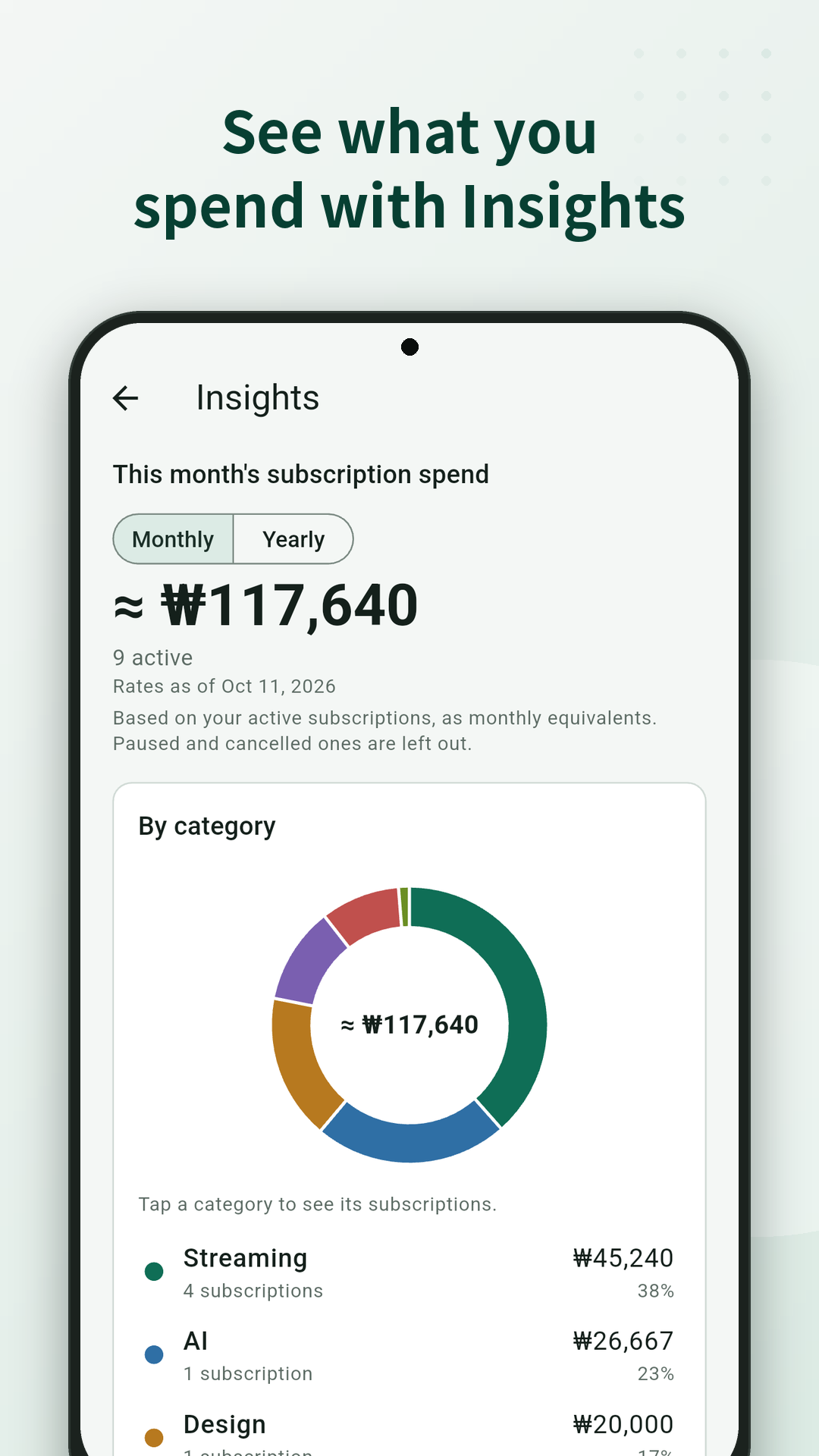
Monthly total
Group OTT, cloud, and AI so you can decide what to keep with a clear share of spend.
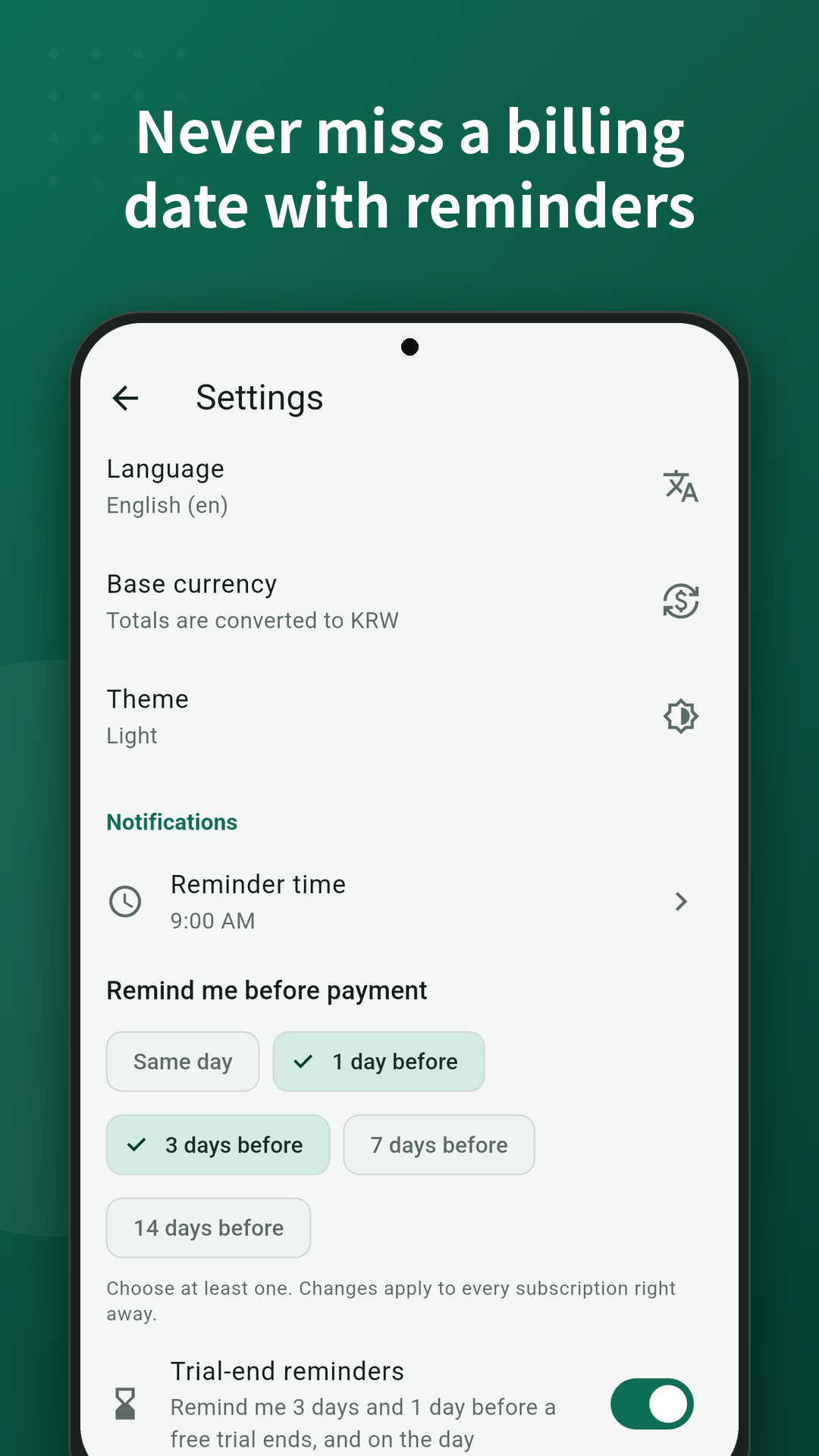
Device reminders
Pick how many days ahead. Notifications stay on Android — no extra messenger account.
Cancel guides
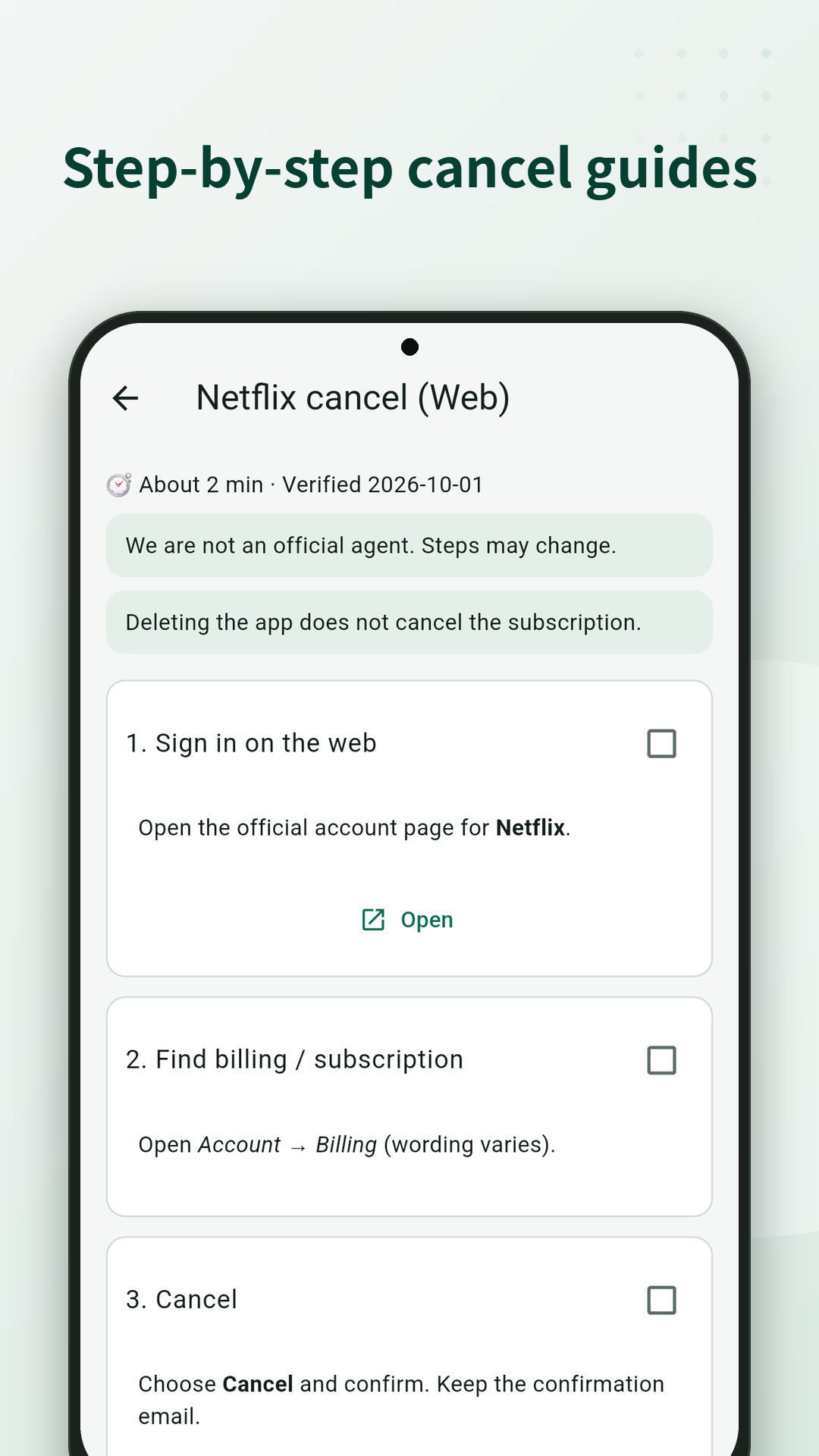
About 130 services include a path. The app does not cancel for you. You finish it on the provider’s site or app.
Name, amount, billing date. No account to create first.
Set how many days before renewal to get a device notification.
Open the cancel path and complete it on that service.
Subscription Manager does not scrape card history or cancel on your behalf. It shows the amounts and dates you enter, then reminds you on the device before renewal.
No. It shows cancel-path guides. You complete cancellation on that service yourself.
No. Data stays on your device. The app does not connect to your bank or card issuer.
Renewal reminders are Android device notifications. You choose how many days before the payment date.
About 130 services. If a service is missing, check that provider’s help pages.
The Basic plan is free to install and use, with up to 15 subscriptions and ads. Choose Plus or Pro if you need more.
No. You enter subscriptions yourself. The app does not import payment history.
Install is free. You can add up to 15 subscriptions on the Basic plan.
Install free on Google Play